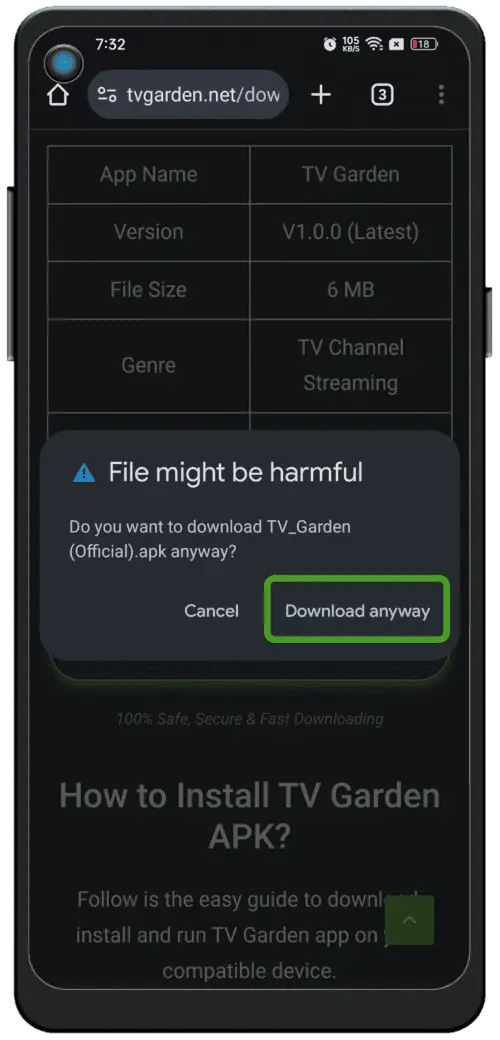
⬇️ Скачайте VidioNode APK
Нажмите кнопку загрузки внизу страницы. Файл VidioNode.apk автоматически скачается на ваш телефон.
Размер файла: около 18 МБ. Используйте стабильное Wi-Fi или мобильное соединение для непрерывной загрузки.
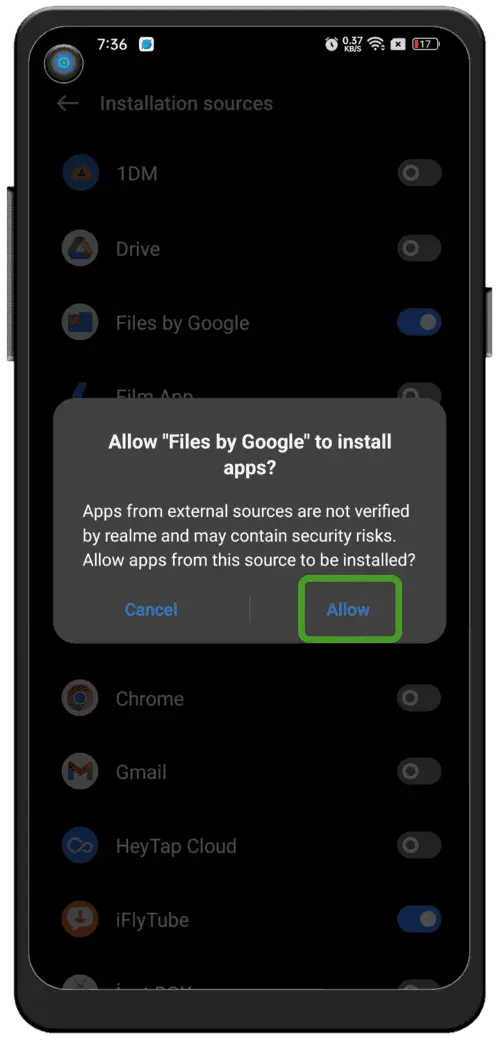
⚙️ Разрешите установку из неизвестных источников
VidioNode устанавливается из APK-файла (не из Google Play), поэтому нужно дать разрешение браузеру или файловому менеджеру.
На Android 11 и новее:
- 1Откройте «Настройки» на телефоне
- 2Выберите «Безопасность» или «Конфиденциальность»
- 3Найдите пункт «Установка неизвестных приложений» или «Из неизвестных источников»
- 4Выберите «Браузер» или «Файловый менеджер» и включите «Разрешить»
Если появится предупреждение системы безопасности — это нормально для установки APK не из Google Play.
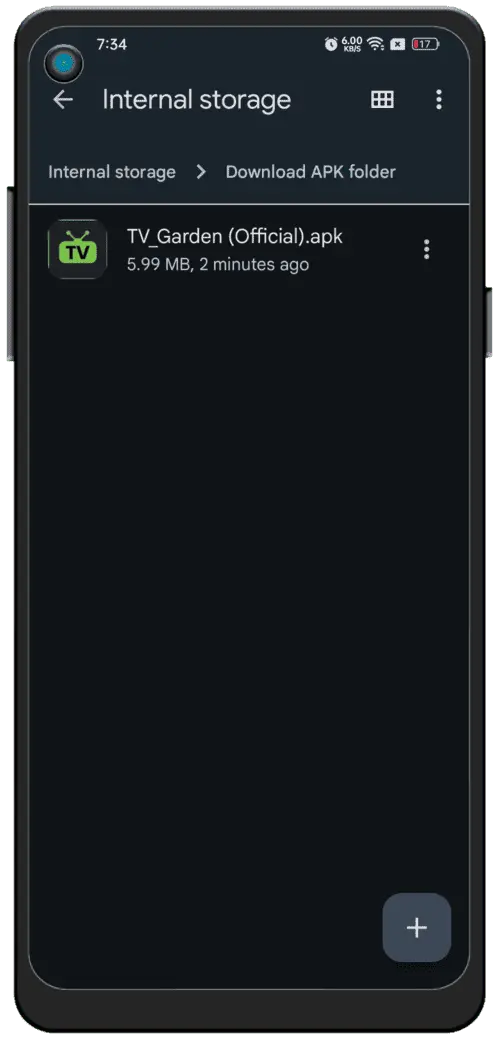
📂 Найдите файл APK
После завершения загрузки найдите файл VidioNode.apk:
- 1Откройте приложение «Файловый менеджер»
- 2Выберите «Внутренняя память» → «Загрузки»
- 3Найдите файл VidioNode.apk
Быстрый способ: нажмите на уведомление о загрузке в строке состояния, чтобы открыть APK-файл сразу.
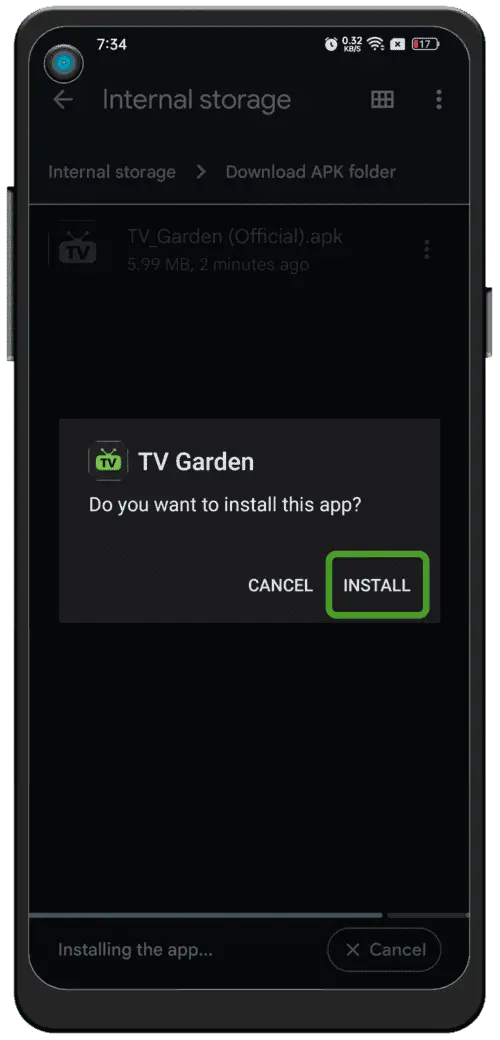
📦 Установите VidioNode
- 1Нажмите «Установить» при появлении запроса
- 2Дождитесь завершения установки (10–30 секунд)
- 3Нажмите «Открыть», чтобы запустить VidioNode
Примечание: система может показать предупреждение Play Protect. Выберите «Всё равно установить». Это нормально для любого надёжного APK-файла.
📺 Откройте приложение и выберите регион
Чтобы просматривать список бесплатных каналов, выполните следующие шаги:
Запустите приложение
Откройте VidioNode. При первом запуске вы увидите глобус с метками стран.
Выберите свою страну
Нажмите «Россия» (или регион, в котором вы находитесь) — список каналов настроится автоматически по региону.
Просматривайте каналы
Более 1000 прямых ТВ-каналов. Нажмите на любой канал, чтобы начать смотреть мгновенно.
Смотрите бесплатно
Прямой спорт, фильмы, новости и развлечения — полностью бесплатно, без регистрации.
Готово! Тысячи каналов, спорт, фильмы и новости — бесплатно, без регистрации.
🔧 Устранение неполадок
Ошибка «Приложение не установлено»?
- →Проверьте, включена ли опция «Установка из неизвестных источников» для вашего браузера/файлового менеджера
- →Убедитесь, что на устройстве есть минимум 100 МБ свободного места
- →Скачайте APK-файл заново — он мог повредиться
Канал не загружается / не воспроизводится?
- →Проверьте подключение к Интернету (Wi-Fi или мобильные данные)
- →Попробуйте сначала переключиться на другой канал
- →Закройте приложение и откройте его снова